





WARNING: This product can expose you to chemicals including nicotine, which is known to the State of California to cause cancer. For more information, go to www.P65Warnings.ca.gov
Blast Off With The Orbit


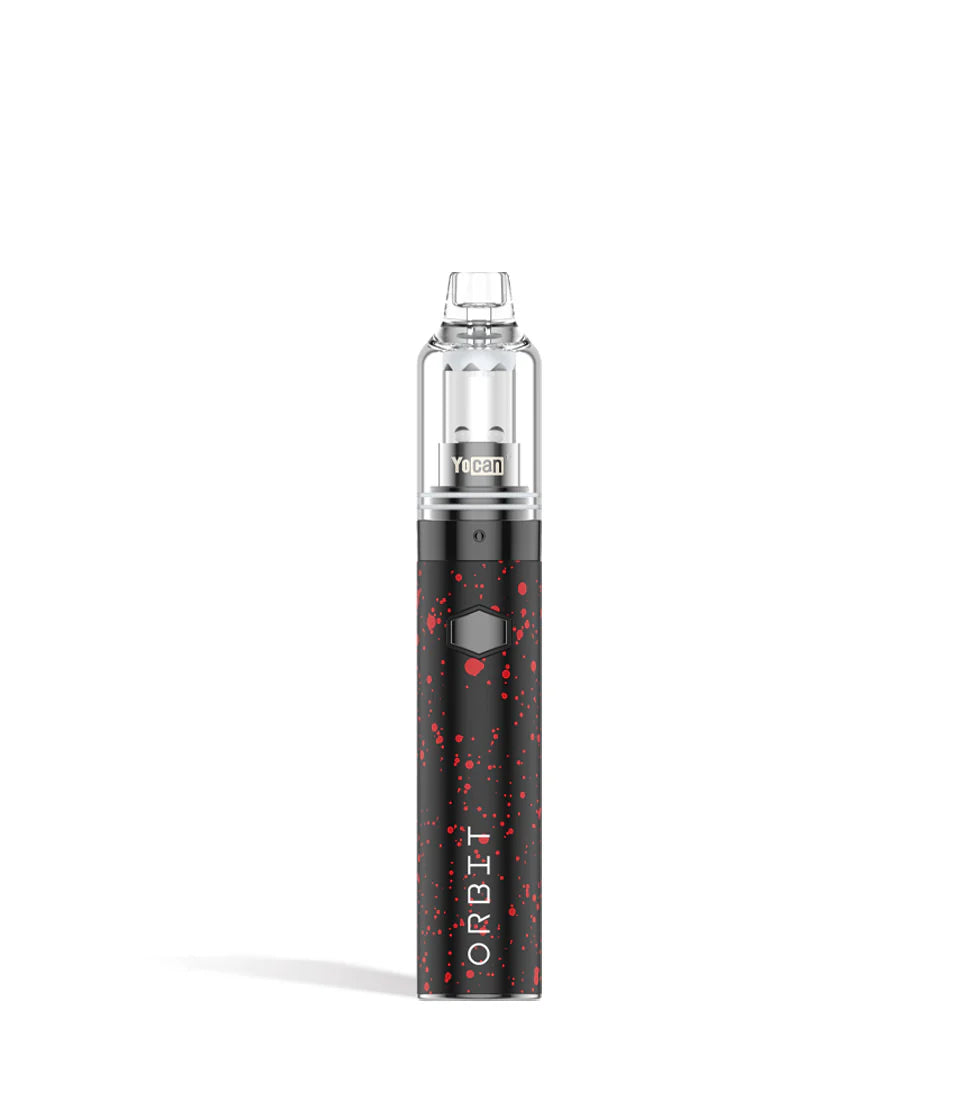
Ground control to major dabbage, the Wulf Mods Orbit Concentrate Vaporizer is ready to blast your wax clouds off to a whole new galaxy of ferocity! The Orbit is here to be your own personal wax dab rocket thanks to its 1,700mAh battery, 10s preheat function, and choice of 3 different voltage settings (3.4v, 3.7v, 4.0v).

Clouds are both potent and smooth thanks to the Orbit’s combination of a coil-less quartz cup, top airflow system, and dual quartz balls for complex vapor production. For seamless session control the Orbit offers LED light heat indicators, a 10s preheat function, and precision temperature control.
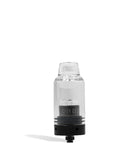
All of this pure concentrate dabbing is housed in the Orbit’s compact 5” body, complete with a glass top to let you see your vapor and quartz balls swirl around! Start dabbing on the go with zero compromises by choosing between the 9 color options including Wulf Pack favorites like the white-red and black-green!

Loading The Orbit
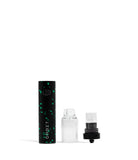
To load the Orbit first gently remove the top glass chamber from the base of the vape and place it to the side somewhere safe.
Next, use your dab tool or hot knife to place the desired amount of concentrate within your Orbit’s atomizer and replace the glass chamber on top until it's flat against the base to complete the seal properly.

Using Your Orbit
To start using your Orbit press the power button 5 times in succession. When successfully done your power button LED will flash 5 times in a blue light. Now you can hold down the power button and inhale from the Orbit to start dabbing!

In order to conclude your session press the power button 5 additional times and when properly input the light will flash in a red light 5 times.
Adjusting The Orbits Temperature
The Orbit has a selection of 3 different temperature settings including 3.4v, 3.7v, and 4.0v. To switch between them press the power button 3 times in a row. This will cause the Orbit to change to the next voltage in line.
Pre-Heating Your Orbit
For an extra fiery hit, you can activate the Orbit’s preheating functionality by pressing the power button twice (2x) in a row. This will cause the power button to flash repeatedly to let you know that your preheating is underway. Once done, you are ready to take your boosted hit.

How To Charge The Orbit
To charge the Orbit please make use of the provided USB-C charging cable and plug it into the back port of the device.
The first time you charge your Orbit, leave it connected for a full 2 hours, every time after that never charge your device longer than 1 hour at a time to preserve battery life and keep yourself safe.
Troubleshooting Your Orbit
Make your sessions as smooth as possible by taking note of the following troubleshooting alerts that can be displayed by your Orbit Concentrate Vaporizer!
Safety Cutoff - If your Orbit power button is held down longer than 15s then a green light will flash 10 times and your device will turn off.
No Cartridge - A green light will flash 3 times to let you know there is either no cartridge or the current cartridge is not being detected.
Short Circuit Warning - A red light flashing 5 times will denote a short circuit, immediately cease using your Orbit until the warning subsides.
Low Battery - If you try to use your Orbit and a red light flashes 10 times before shutting off, this is to let you know you're out of power and need to recharge the device.

How To Clean the Orbit
To clean your Orbit wipe down the device with a dry cloth or paper towel to remove any physical dirt that may be on the outside.
For the Glass Top, make sure to first detach it before cleaning and then make use of a q-tip or swab lightly damped with isopropyl alcohol to clean off any residues or build up.
What’s Included:
- Wulf Mods Orbit Wax Vaporizer Kit
- (2) Pick Tools
- (1) Type C Charging Cable
- (1) Hanging Ring
- (1) Lanyard
- Additional Quartz Balls
- Additional Seal Rings
Returns Policy
You may return most new, unopened items within 30 days of delivery for a full refund. We'll also pay the return shipping costs if the return is a result of our error (you received an incorrect or defective item, etc.).
You should expect to receive your refund within four weeks of giving your package to the return shipper, however, in many cases you will receive a refund more quickly. This time period includes the transit time for us to receive your return from the shipper (5 to 10 business days), the time it takes us to process your return once we receive it (3 to 5 business days), and the time it takes your bank to process our refund request (5 to 10 business days).
If you need to return an item, simply login to your account, view the order using the "Complete Orders" link under the My Account menu and click the Return Item(s) button. We'll notify you via e-mail of your refund once we've received and processed the returned item.
Shipping
We can ship to virtually any address in the world. Note that there are restrictions on some products, and some products cannot be shipped to international destinations.
When you place an order, we will estimate shipping and delivery dates for you based on the availability of your items and the shipping options you choose. Depending on the shipping provider you choose, shipping date estimates may appear on the shipping quotes page.
Please also note that the shipping rates for many items we sell are weight-based. The weight of any such item can be found on its detail page. To reflect the policies of the shipping companies we use, all weights will be rounded up to the next full pound.
Compare Color
- Choosing a selection results in a full page refresh.